Your money rarely lives in one place anymore. A checking or salary account here, a couple of savings accounts there, a fixed-term deposit (a CD in the US, a fixed deposit in India, a term deposit in Australia — the same idea), a retirement account (a 401(k), a pension, an EPF, a super fund, depending on where you live), a brokerage or two, maybe a mutual fund platform, a mortgage, and some cash set aside for a rainy day. Knowing your real net worth means bringing all of that into one view — which is exactly where the trouble starts.
The "obvious" solution most apps offer is to link every account: sign in to each bank and brokerage through the app, grant consent, and let it pull balances on your behalf. It works, until it doesn't — a consent expires, a bank changes its API, a connection drops, and you're back to babysitting integrations instead of looking at your money. And underneath all of it sits a reasonable, nagging discomfort: to get that one combined view, you've just handed a single company a complete map of where your money lives.
This article is about a different starting point. WorthApp doesn't link anything. You type in your numbers, it keeps them in one place, and it does so in a way that removes the usual unease about trusting an app with your finances — not by asking you to trust harder, but by not having anything to be trusted with in the first place.
The linking headache nobody mentions
Account aggregation sounds effortless in a feature list and feels like ongoing maintenance in practice. Connecting one bank is easy. Connecting five banks, two brokerages, and a couple of retirement accounts is a small project you end up managing:
- Each connection is a consent you granted, with an expiry you probably forgot about. Re-authorising one of them every few months isn't a feature; it's a chore.
- When a provider changes its API or a session token drops, the app quietly stops updating that account — sometimes for days before you notice the total looks off.
- Different institutions expose different things. One gives live balances, another gives yesterday's, a third needs a manual refresh. Your "net worth" becomes a slightly stale, slightly inconsistent patchwork.
You end up managing the plumbing instead of reading the number. WorthApp skips that entire layer: there are no connections, no consents, no tokens, and no provider relationships to keep alive. You enter a balance when you feel like checking in, and the app holds onto it.
One place, without one company holding it all
Even if the linking worked flawlessly, there's a second cost that people feel before they can name it. To show you a single combined picture of your finances, an aggregation app has to hold that single combined picture itself — every account, every balance, every institution you use, your trajectory over time, concentrated in one company's database and tied to your login.
This isn't a claim that any specific company is careless. Most are competent, and serious incidents are the exception rather than the rule. It's just an honest observation: the convenience of "one place to see everything" usually means one extra place that also sees everything. For data this sensitive — a full map of where your money lives — a lot of people simply aren't comfortable with that shape, and reasonably so.
WorthApp gives you the one place without the one company. Your combined picture exists only on your phone. There's no account, no server, and no database on the developer's side that ever holds it. The convenience you wanted — a single view of everything — is decoupled from the thing you didn't want: a third party holding that single view.
What "fully offline" actually means
"Offline" has become a marketing word, so it is worth being precise. A fully offline app meets all of the following:
- It performs its core features with zero network requests initiated by the app or its developer.
- It has no account system — no email, no login, no profile — because there is nothing to log in to.
- It does not phone home for telemetry, "anonymous" usage stats, crash reports, or feature flags.
- It does not integrate ad networks, analytics SDKs, or crash-reporting tools by choice.
WorthApp is built this way. You install it, you enter your numbers, and it works. There is no sign-up screen because there is no server. Anything that happens on the network is incidental and comes from the underlying framework or OS — not from the app, and never involving your financial inputs.
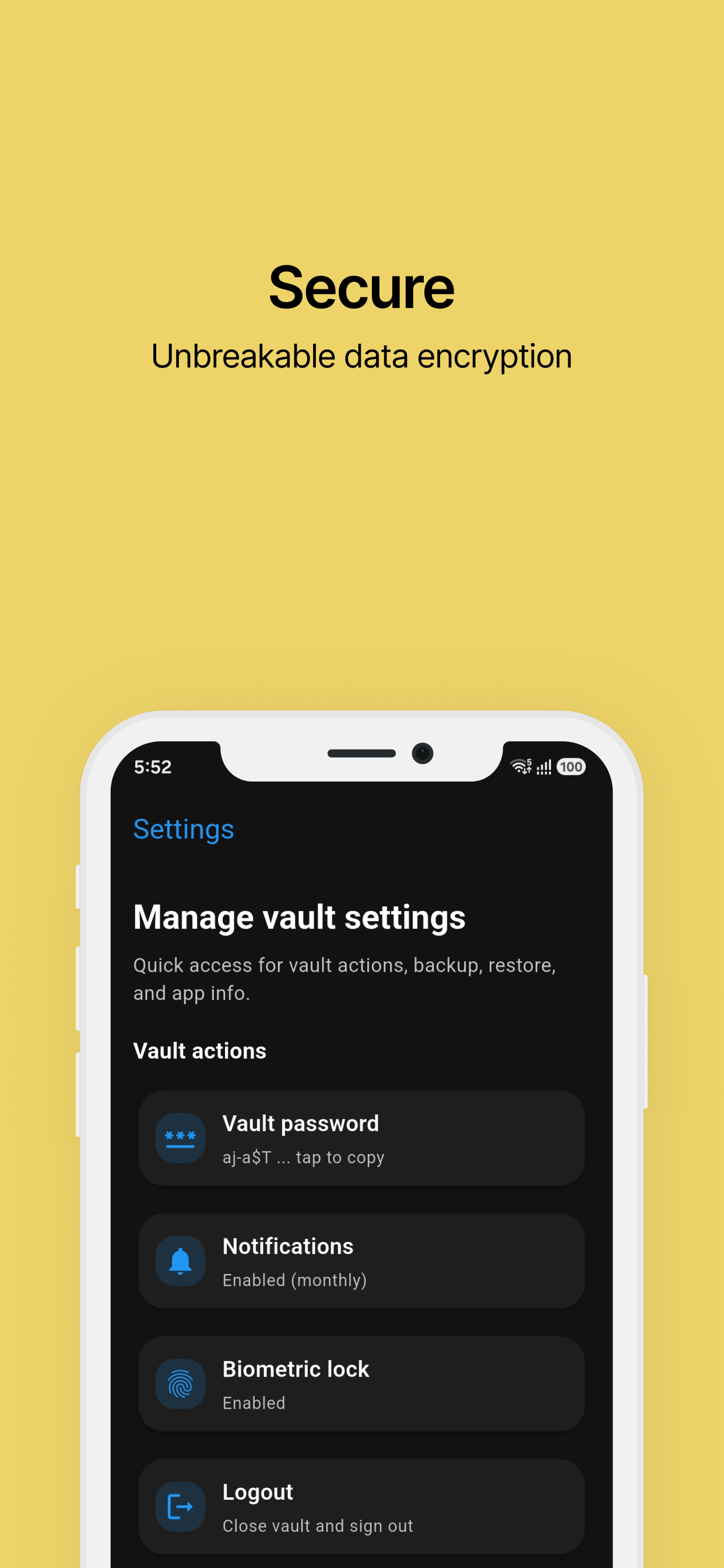
WorthApp generates its encryption key on your device and never transmits it anywhere.
Encryption that doesn't depend on trust
"Encrypted" is another word that gets stretched. Many apps advertise strong encryption while meaning only that the connection to their server is protected in transit. That matters, but it doesn't change where the data lives — and when the data lives on a server, encryption at rest is only as good as who holds the key.
WorthApp takes a simpler route. On first launch it generates a 32-character cryptographically secure key on your device, using a CSPRNG, and uses it to encrypt the local SQLite database. That key is:
- Generated locally. No server, CDN, or installer ever sees it.
- Never transmitted. There is no sync — there is nowhere to transmit it to.
- Never accessible to the developer. The developer runs no backend that could receive it.
The practical upshot is that the discomfort many people feel about finance apps — "what happens to my numbers if something goes wrong on their end?" — doesn't really have an answer here, because there is no "their end." The data and the key that unlocks it both stay with you. That's the difference between a privacy promise and a privacy architecture: one asks you to trust it, the other doesn't need you to.
File-based encrypted backups: control without the cloud
The strongest objection to an offline app is reasonable: "What if I lose my phone?" The cloud answer is automatic sync. The offline answer is encrypted backup files you control.
WorthApp lets you export an encrypted backup protected by a password you choose. The backup file — emphasis on the word file — is saved to your device storage. What happens next is your decision:
- Copy it to your own cloud, your own external drive, your own password manager's attachments.
- Email it to yourself, put it on a USB stick, print the encrypted blob and put it in a drawer.
- Skip it entirely if you do not want a backup.
The developer never sets, knows, or stores that password. There is no "restore server." If you forget the password, the file is gone — which is the correct trade-off for a backup that no one else can decrypt. This is the difference between convenient sync (someone else holds your data) and controlled portability (you hold your data, on your terms).
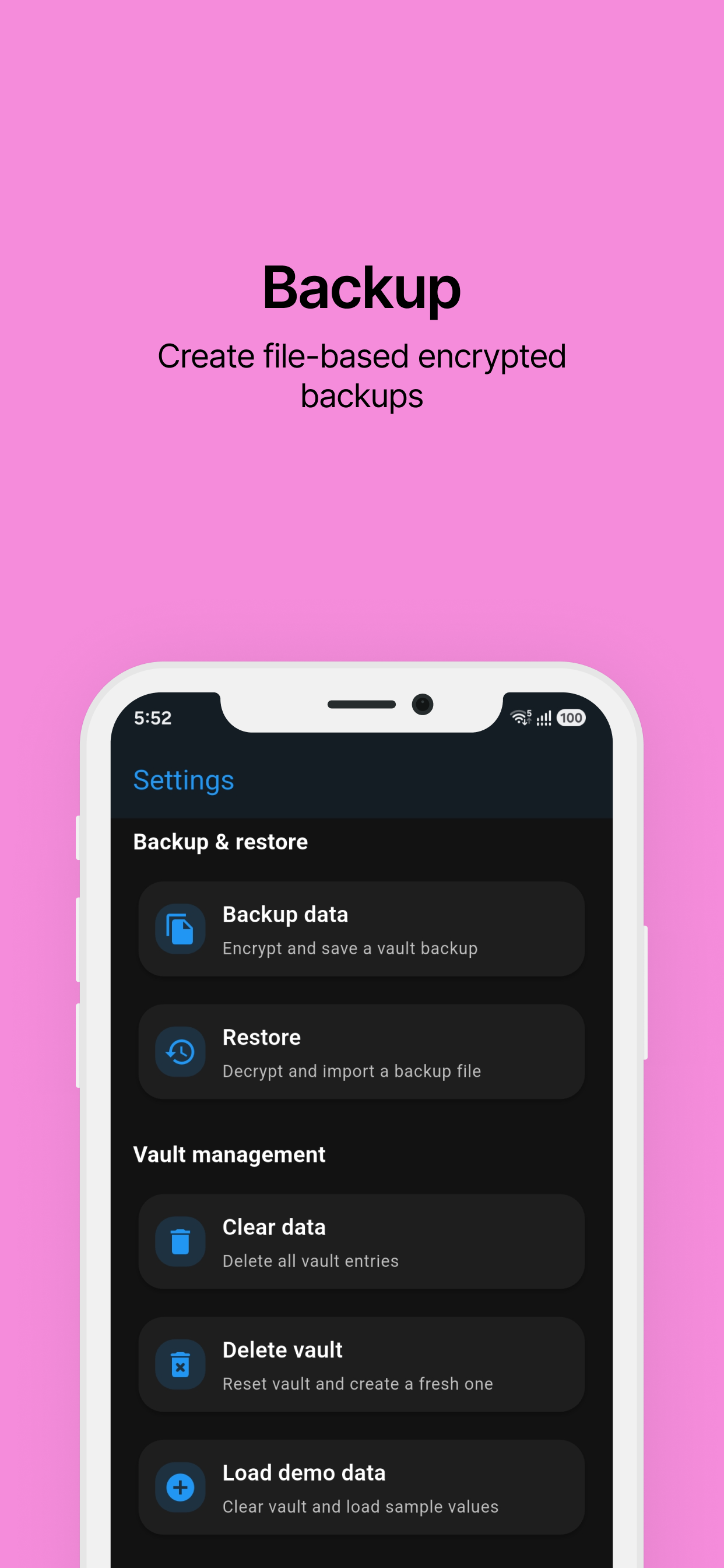
Backups are files you own — store them wherever you want, on your own terms.
Net worth projection, without the cloud
A feature people often assume needs the cloud is "smart" projection — estimating where your net worth is heading based on historical updates. It does not. WorthApp calculates the rate of change from the balance history you have entered, applies a rate of interest you set per account, and projects forward. All of this happens on the device, in the same database, with the same encryption key.
This matters because projection is exactly the kind of feature that, in a cloud app, would quietly justify uploading every balance update. Once you make peace with "the cloud needs my updates to draw the chart," the app has a standing reason to sync, and a standing reason to retain every update forever. The offline version breaks that loop at the root: the chart is drawn from local data, so there is never a reason to upload.
Who this is for
An offline, encrypted net worth tracker isn't for everyone, and pretending otherwise would be dishonest. It's for:
- People whose money is spread across several institutions and who just want one place to see the total.
- People who'd rather type in a number occasionally than keep five logins and their consents alive.
- People who feel a quiet unease about handing one app a complete picture of their finances, and would rather that picture not leave their phone.
- People happy to manage their own backups in exchange for not being the product.
It's not for someone who needs live, automatic balances from every institution, or who wants a web dashboard shared with a partner. If real-time aggregation is non-negotiable for you, an offline-first app won't fit — and that's fine. WorthApp isn't trying to win every user; it's the honest choice for the person who'd rather keep things simple and local.
What you give up — and why it's a fair trade
Saying the trade-offs out loud makes the choice clearer:
- No live account linking. You enter and update balances yourself, on your schedule.
- No automatic cross-device sync. You move backups yourself.
- No account to recover via email. Your encryption key is the only credential; lose the device and the backup password, and that data is gone.
In exchange, you get something no aggregation app can offer back: a single, combined view of your net worth that exists in exactly one place you control, encrypted with a key no one else has ever seen. No logins to maintain, no consents to renew, no quiet worry about where the full picture of your money actually lives. It isn't the most feature-rich shape a finance app can take. It's the calmest one. Whether that trade is worth it is a personal question — but it should be a question you get to answer, rather than one that gets answered for you at sign-up.
Frequently Asked Questions
Is an offline net worth tracking app actually secure?
Yes. Your data stays on your device and is encrypted with a 32-character cryptographically secure key generated locally. There's no server to breach and no account to compromise, so security comes down to your device and how you handle any backup files you export — both under your control.
How is WorthApp different from a cloud-synced or account-linking finance app?
Apps that link your accounts pull live balances from each bank and brokerage, which means maintaining connections, consents, and logins, and storing your combined picture on their servers. WorthApp takes a different approach: you enter balances yourself, the data lives only on your device, and there's no account, so there's nothing on the developer's side to leak, lose, or fall out of sync. The trade-off is that updating balances and moving data across devices is up to you, using encrypted backup files you export and restore manually.
Can I sync my data across devices with WorthApp?
WorthApp does not run its own sync service. You can export an encrypted backup file protected by a password you choose and move it to another device yourself. Because the developer never sees the password or the unencrypted data, the security of those files is entirely under your control.
What happens if I uninstall an offline app by accident?
Uninstalling removes the data stored on that device. This is why WorthApp lets you export encrypted backups — keeping a recent backup on your own storage means a lost or wiped device does not mean lost financial history. Treat backups like any important personal document.
Does WorthApp collect any analytics or crash reports?
No. WorthApp collects no personal data, no usage analytics, and no crash reports. The developer has no servers and no mechanism to receive any data from your use of the app. Any incidental network activity comes from the underlying framework or OS, not from the app itself, and never involves your financial inputs.
Why does encryption matter if my phone already has a lock screen?
A lock screen protects access to your device, but it does not protect the underlying data if the storage is accessed directly — for example, through a forensic tool, a malicious app, or a lost device that gets rooted. Encrypting the database itself with a unique 32-character key means that even the raw file is unreadable without that key, which never leaves your device.
Try WorthApp — fully offline, encrypted by default
Track your net worth, project future growth, and keep every number on your own device. No account, no ads, no cloud.
Download free on Play Store →